What was hard about building a time tracker people keep using
Notes from building TimelyBD, our own time-tracking product: a timer that survives refreshes, links that recognise tasks, and money only the right people see.

Halavanja Dragan
Senior UIUX Designer at DEEQ
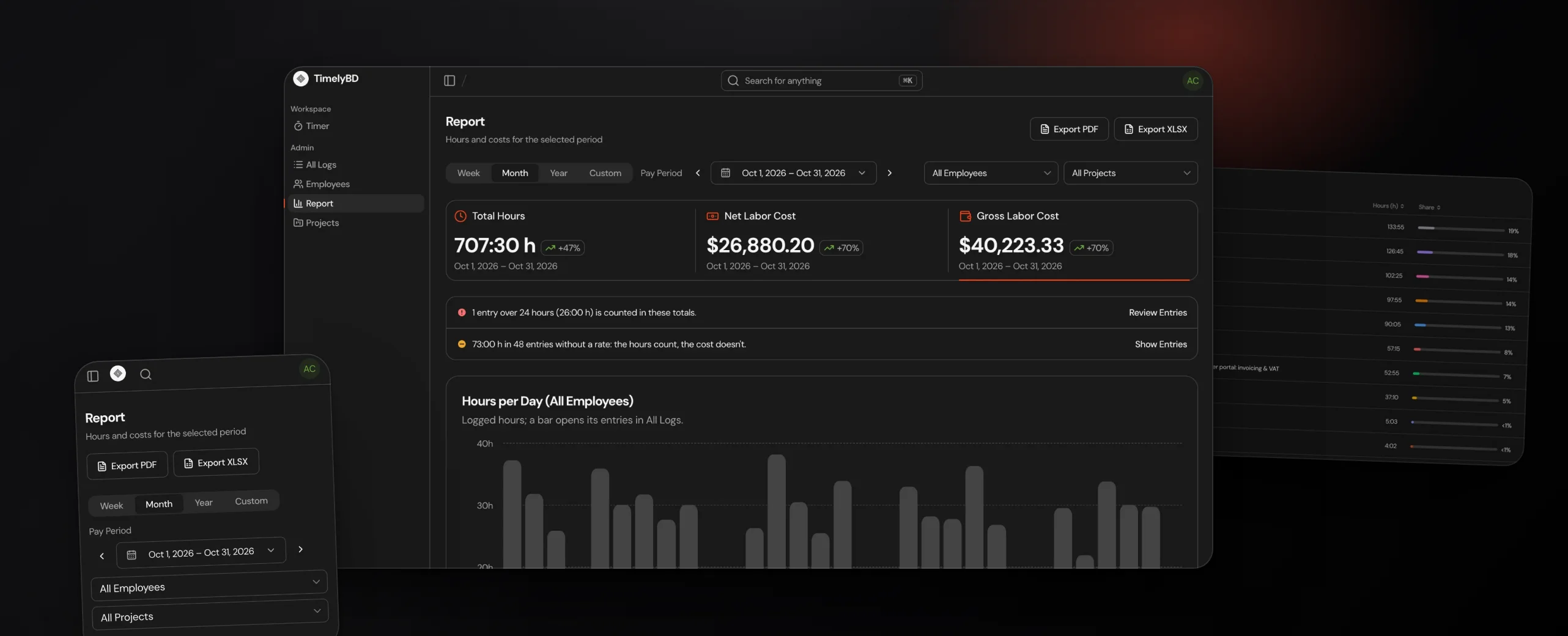
TimelyBD is our own time-tracking product. Time tracking sounds like the easy kind of software: a button, a clock, a table. We thought so too. Then we watched how people really behave around it.
The core lesson is that a time tracker wins or loses on trust. If someone suspects the timer lost their hour, or that the report is wrong, they quietly go back to a spreadsheet. Here are the problems that taught us this, and what we did about each.
The timer has to survive everything
A timer looks trivial until you ask where the time lives. The naive version counts up on the page itself. Refresh the page and it resets. Close the laptop lid and the count stops. Start it on a phone and the desktop knows nothing about it.
The fix is to stop counting. TimelyBD remembers the moment you pressed start, and the clock you see is simply the time since then, worked out again every second.
That one decision gives people a lot:
- A refresh changes nothing, because the moment you started is remembered, not the count.
- A timer started on a phone is there on the laptop, because both look at the same moment.
- A closed lid does not matter, since the clock catches up when you come back.
It also brings the awkward questions into the open early, which is when they are cheap. What if someone starts a second timer while one is running? What if a phone's clock is wrong? TimelyBD keeps one clock that every device shares rather than trusting each device's own, and it is explicit about what happens to the running timer when another starts. These rules are dull to design and expensive to retrofit.
Make forgetting forgivable
People forget to stop timers. They go to lunch, then to a meeting, then home. A tracker that punishes this with bad data will be abandoned, so manual entries are a first-class feature, not an apology. Fixing a day takes seconds, and every change is kept in a history, so the correction is honest and traceable rather than a silent edit.
Recognising the task you are working on
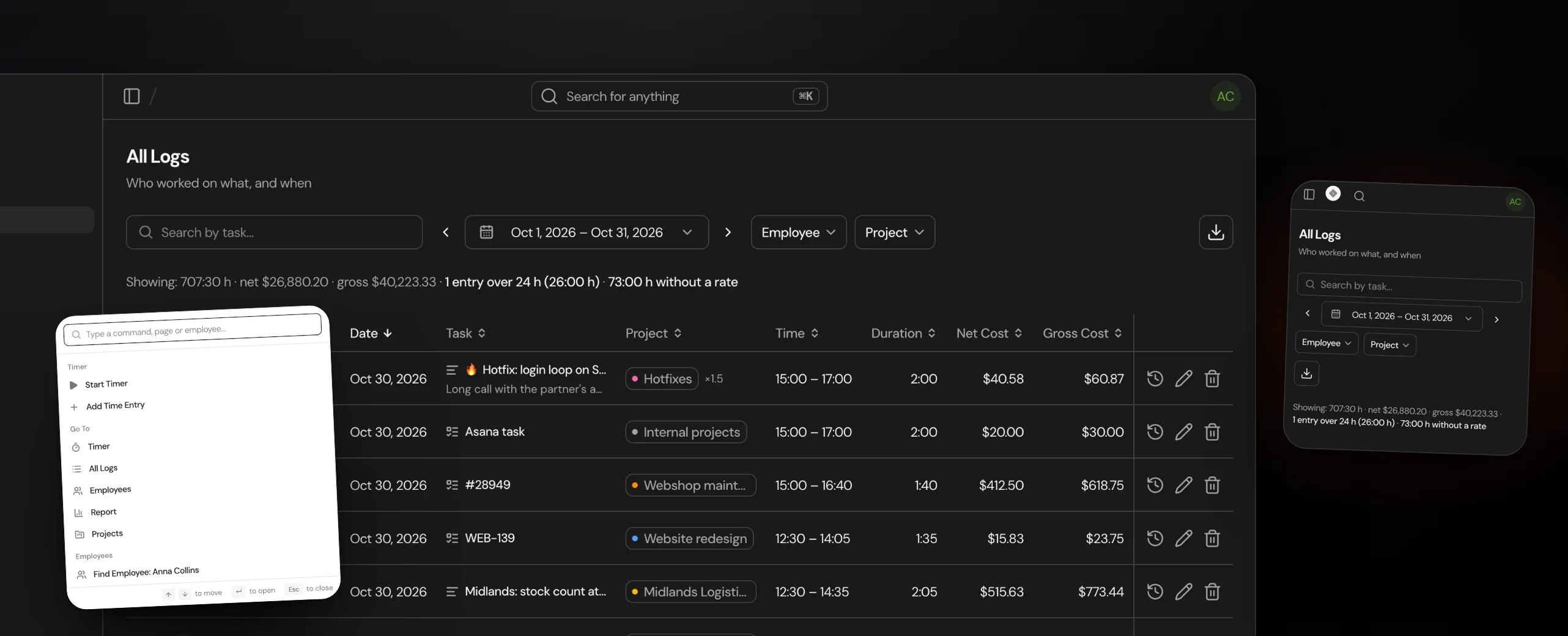
Most teams already track their work somewhere. Ours might be Azure DevOps, Jira, GitHub, Trello or Asana. Asking people to retype a task title into a time tracker is the quickest way to get "misc" as every description.
So TimelyBD recognises task links. Paste a link to a ticket and the tracker knows which tool it came from and attaches the task to the entry. The reports then speak the language the team already uses.
Doing this well is mostly about being modest:
- Recognise a link by its shape, since each tool writes its addresses in a stable pattern, and do not guess.
- When a link is not recognised, keep it as a plain link and carry on. A failed match must never stop the person from starting the timer.
- Never make the tracker depend on the other tool being reachable. The link is a label, not a live connection.
That last point is a design stance. A time tracker that stops working when someone else's service is down has made itself less reliable than a stopwatch.
Money is visible only to the right people
Time tracking turns into pay and costs quickly, and that is where it gets sensitive. TimelyBD supports projects with rate multipliers, such as overtime, and distinguishes net from gross hourly rates. The moment you store rates, you have to decide, carefully, who can see them.
We use three roles: employee, manager and admin. The principle is simple to say and demanding to keep: an employee sees their own time, a manager sees everyone's time but no money, and rates and costs are shown only to admins.
Hiding a number on the screen is not the same as keeping it private. A figure that reaches someone's browser and is merely not displayed can still be found by anyone curious enough to look. So in TimelyBD, a person who may not see pay never receives it in the first place. The screen cannot leak what it was never given.
Checking roles as seriously as features
Role mistakes are quiet. Nothing crashes. A page just shows something to someone it should not. So we check each report as an employee, a manager and an admin receive it, and we look at what actually arrives, not only at what the screen shows. It is a small set of checks and the one we would least like to lose.
Reports that stay fast
Reports are where trust is tested. People export them as PDF and XLSX and pass them on, so a wrong number travels. They also grow with use: a year of a busy team's work is a lot of rows.
After we reworked how costs are calculated, each calculation behind a year's report on 75,794 entries took 55 to 110 milliseconds instead of 200 to 330. We could say that confidently because we had measured the before, and because we checked every new figure against the old one, row for row. If a faster report disagrees with the slower one by a cent, the speed is worthless.
Signing in without a password
Time trackers are used briefly and often, by people who do not want another password. We use passwordless sign-in: you enter your email and receive a six-digit code. It removes the forgotten-password flow, one of the largest sources of support requests, and there is no password to leak or reuse.
It has its own care points, as any code-by-email scheme does: codes should be short-lived and single-use, and wrong guesses should be limited. The email has to arrive promptly, or the whole experience feels broken. It is a fine trade, but it moves the weight from the user's memory to the reliability of email delivery, so that part deserves real attention.
What we took from it
Three principles came out of this, and they apply well beyond time tracking:
- 01Remember what happened, work out the rest. The moment a timer started is a fact. How long it has run is arithmetic. Keeping the two apart removes a whole class of mistakes.
- 02Fail softly at the edges. An unrecognised link, a forgotten timer or a slow integration should degrade gracefully, never stop the person doing their job.
- 03Keep private things private at the source. Who may see pay, costs and other people's time is settled before anything reaches the screen, with the interface as a courtesy on top.
The product is deceptively simple on the surface, which is the goal. The hard work is making the simple version trustworthy, so that people stop thinking about it and just keep using it.