Know What Your Blood Test Means
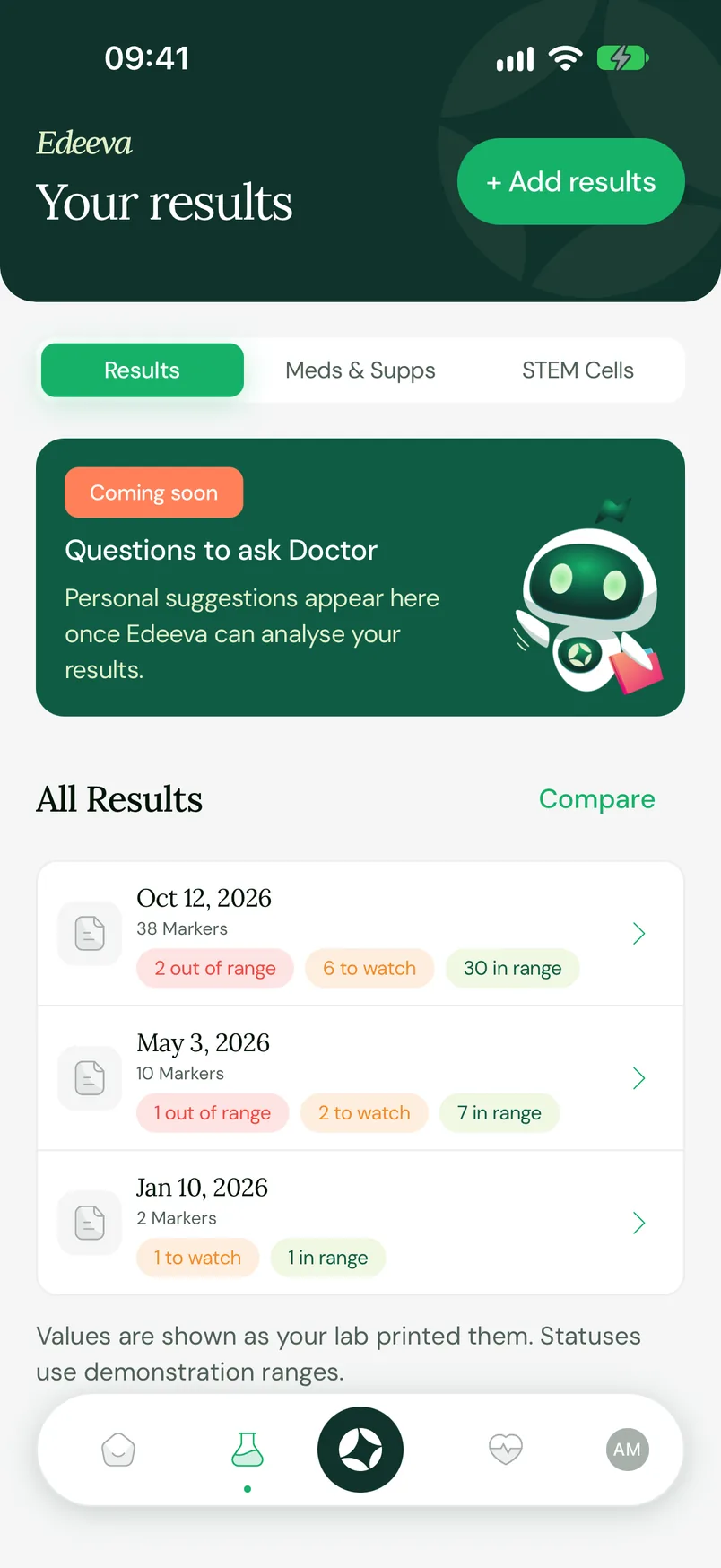
Edeeva is a health companion that turns a blood test into a plain answer: what changed, what matters most and when to retest.
One Place for Your Results
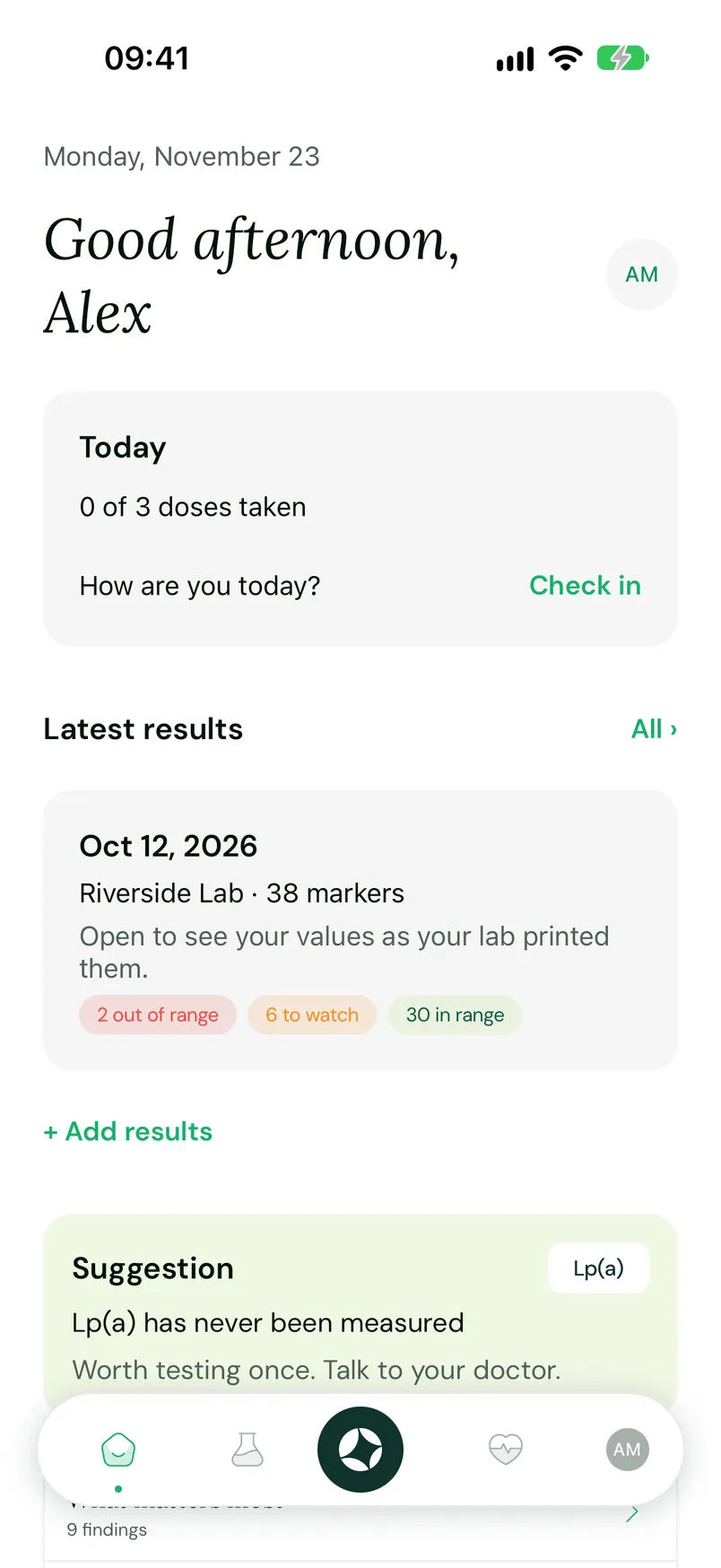
People who test their blood regularly are left with PDFs, in-range flags and no sense of what matters. Edeeva reads the report, lets you confirm every value and ranks what deserves attention.
We designed and built the mobile app, the API behind it and the website. It is a proof of concept and has not been released.
- Project
- Edeeva
- Client
- Edeeva
- Platform
- Mobile app, API and website
- Status
- Ongoing
A Blood Test Is Not an Answer
- 01
Results Without Answers
Dozens of markers, “in range” or not, and nothing that says what changed for you or why it matters.
- 02
Data in Scattered Apps
Sleep is in one app, blood pressure in another and the lab results are in an inbox. Nothing connects them.
- 03
The Months Between Visits
A doctor sees a snapshot. The months in between, where most risk builds, go unseen.
A chatbot that guesses is worse than none when the subject is your health.
Rules First, Words Second
We set out to build a health app that explains and never diagnoses. So four rules came before any screen, and every part of the product answers to them.
- 01
Fixed rules decide, the model explains
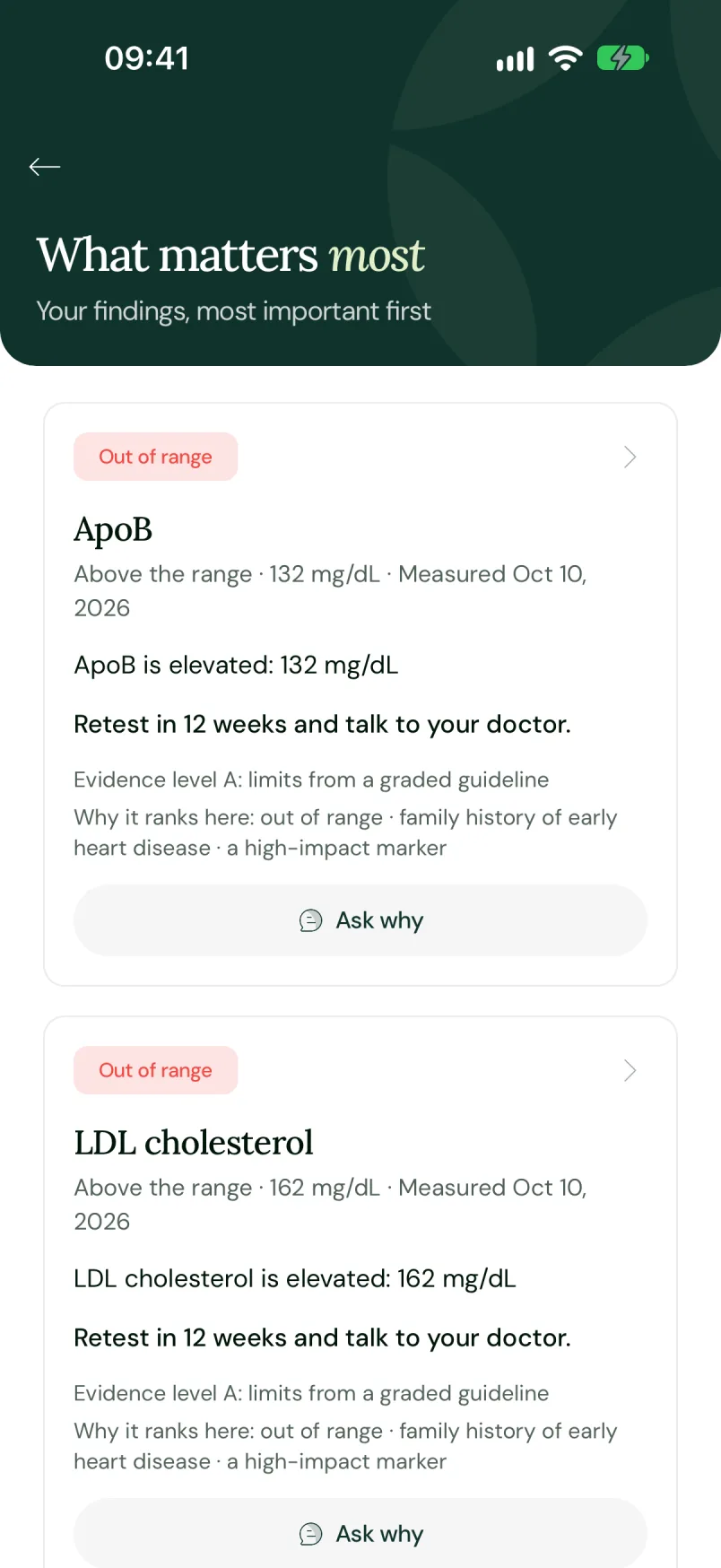
Statuses and findings come from a versioned set of rules. The model only puts them into words.
- 02
Nothing is analysed until you confirm
The app reads the values from a lab report, and the person checks them before anything is worked out.
- 03
The assistant never writes a number
Every figure is inserted by the backend, by reference, so no figure in an answer is a guess.
- 04
Every finding shows its evidence
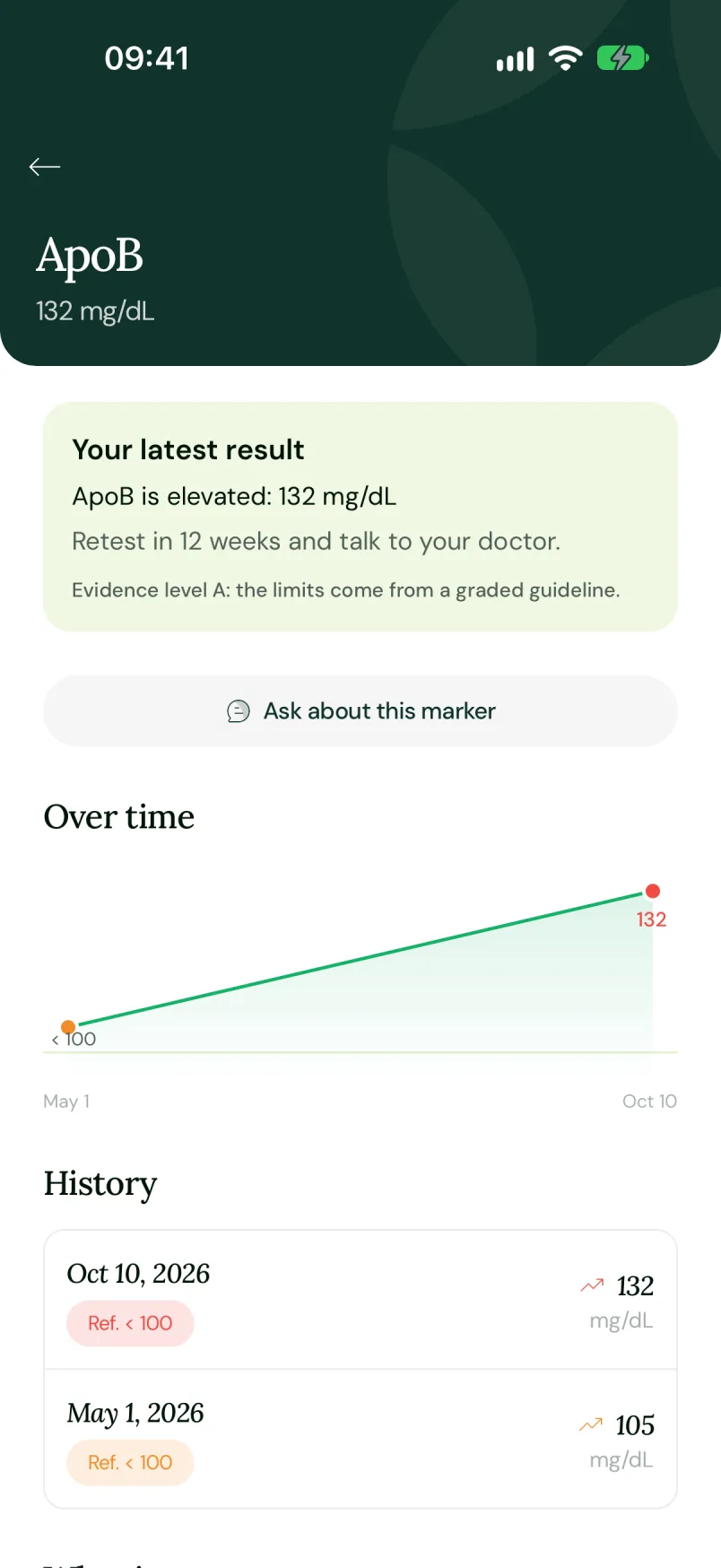
Each finding says how strong the evidence behind its limits is, and why it ranks where it does.
Five Steps From a PDF to What Matters
Setting up asks only what the findings need, in a fixed order. Scroll to walk through it, from signing in to the first insights.

Start
Welcome
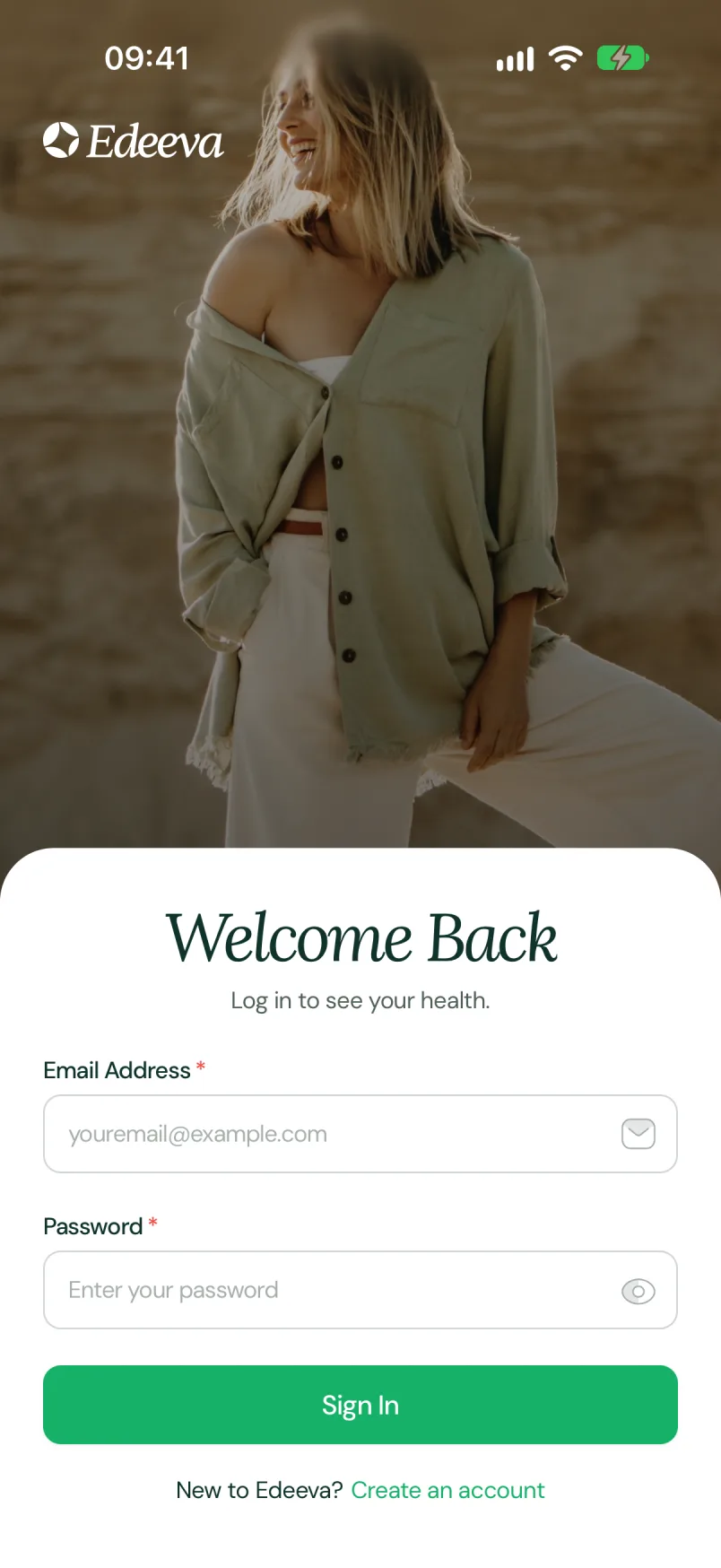
Sign in, or create an account with an email address, confirmed by a six-digit code sent to it.
Start
Sign in
An email address and a password. Anyone new creates an account from the same screen.
Step 1
About you
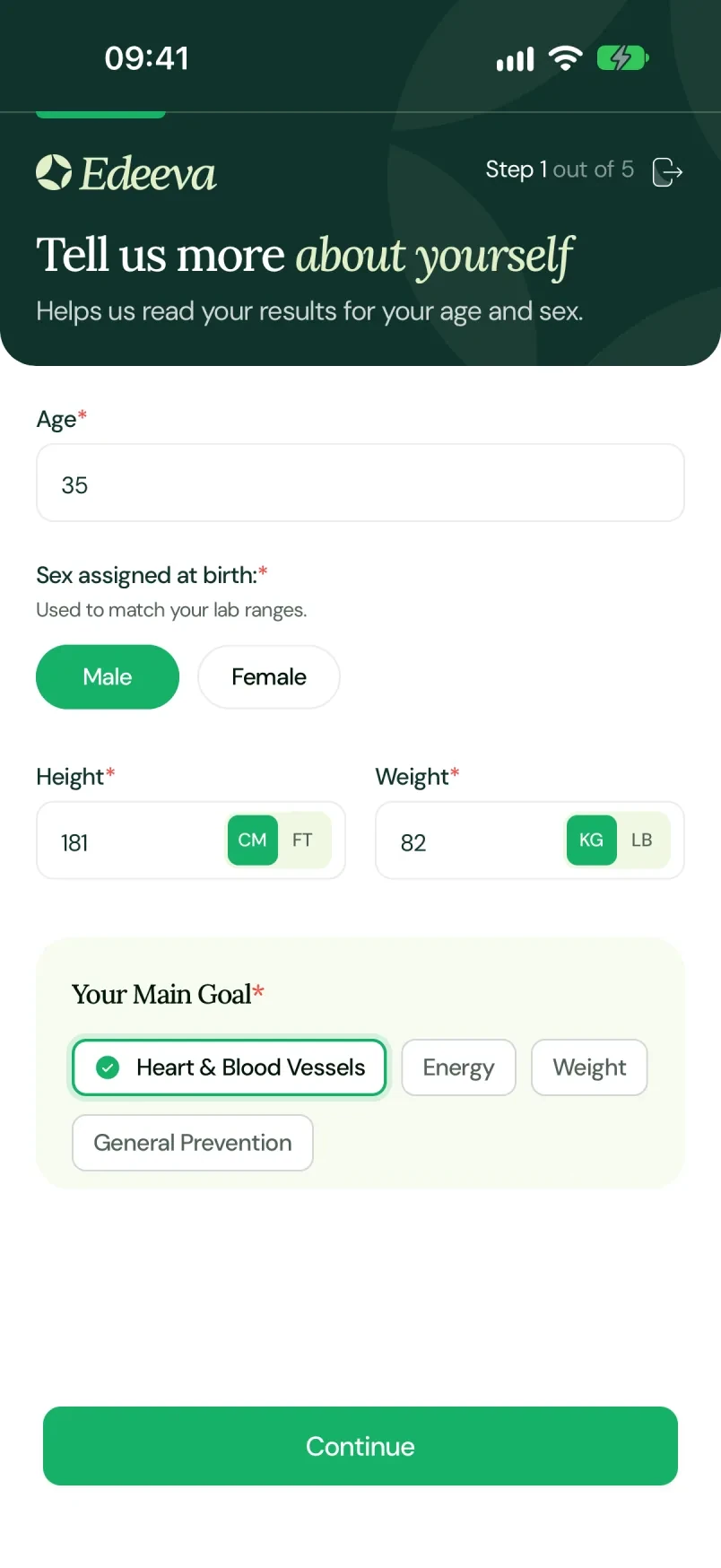
Age, sex, height, weight and one main goal, so the lab ranges fit the person.
Step 2
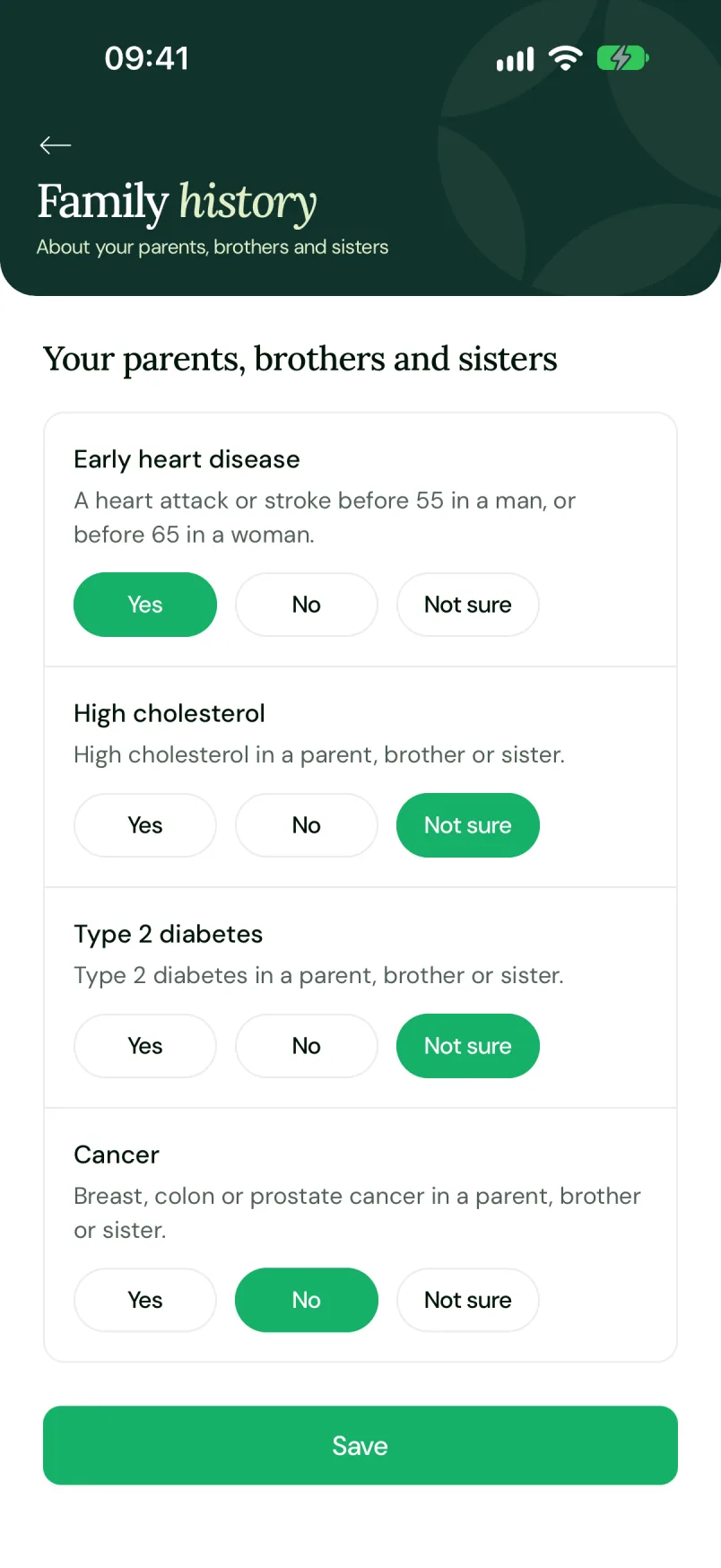
Family history
Four questions about parents and siblings, each yes, no or not sure. They shape how findings are ranked, and they can be skipped.
Step 3
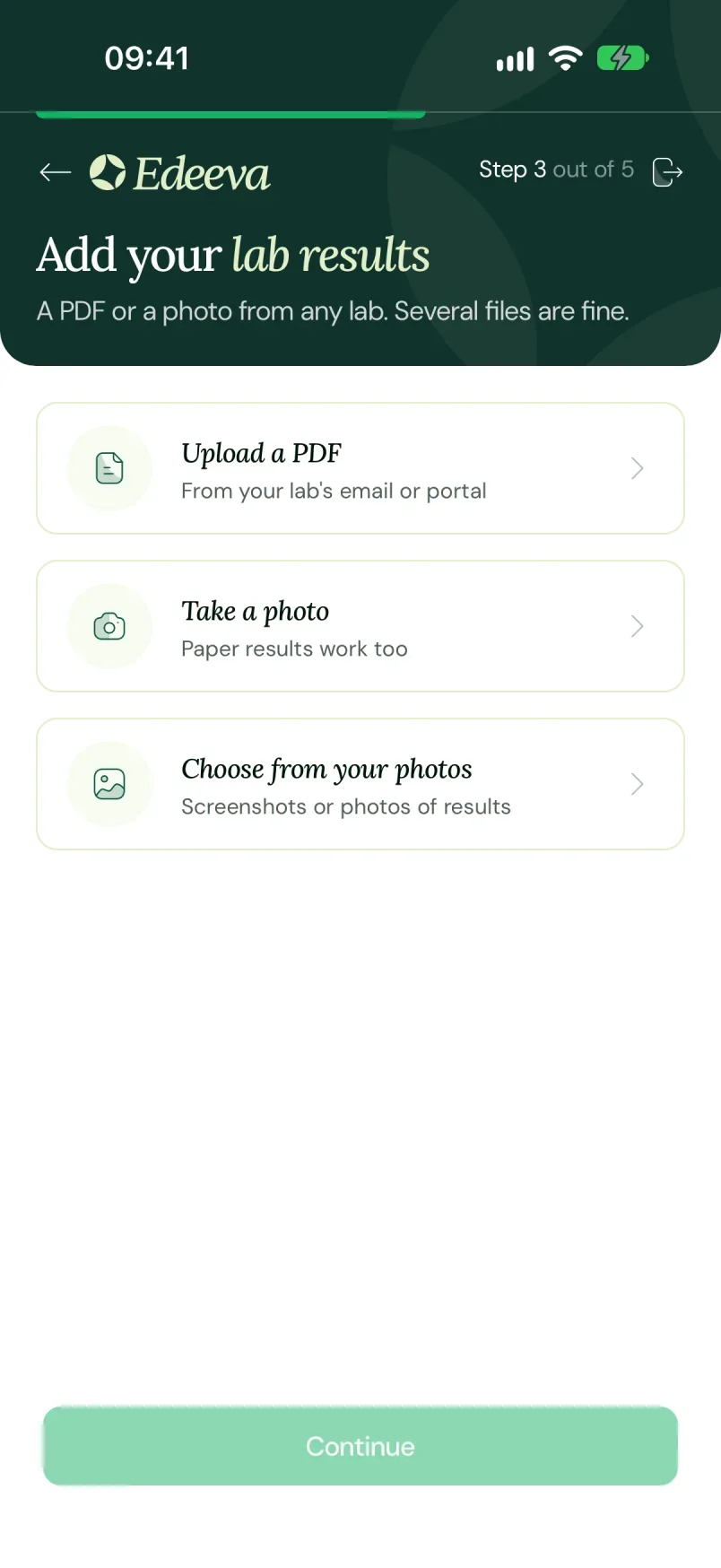
Lab results
Upload a PDF, take a photo or choose several photos of a lab report.
Step 4
Check values
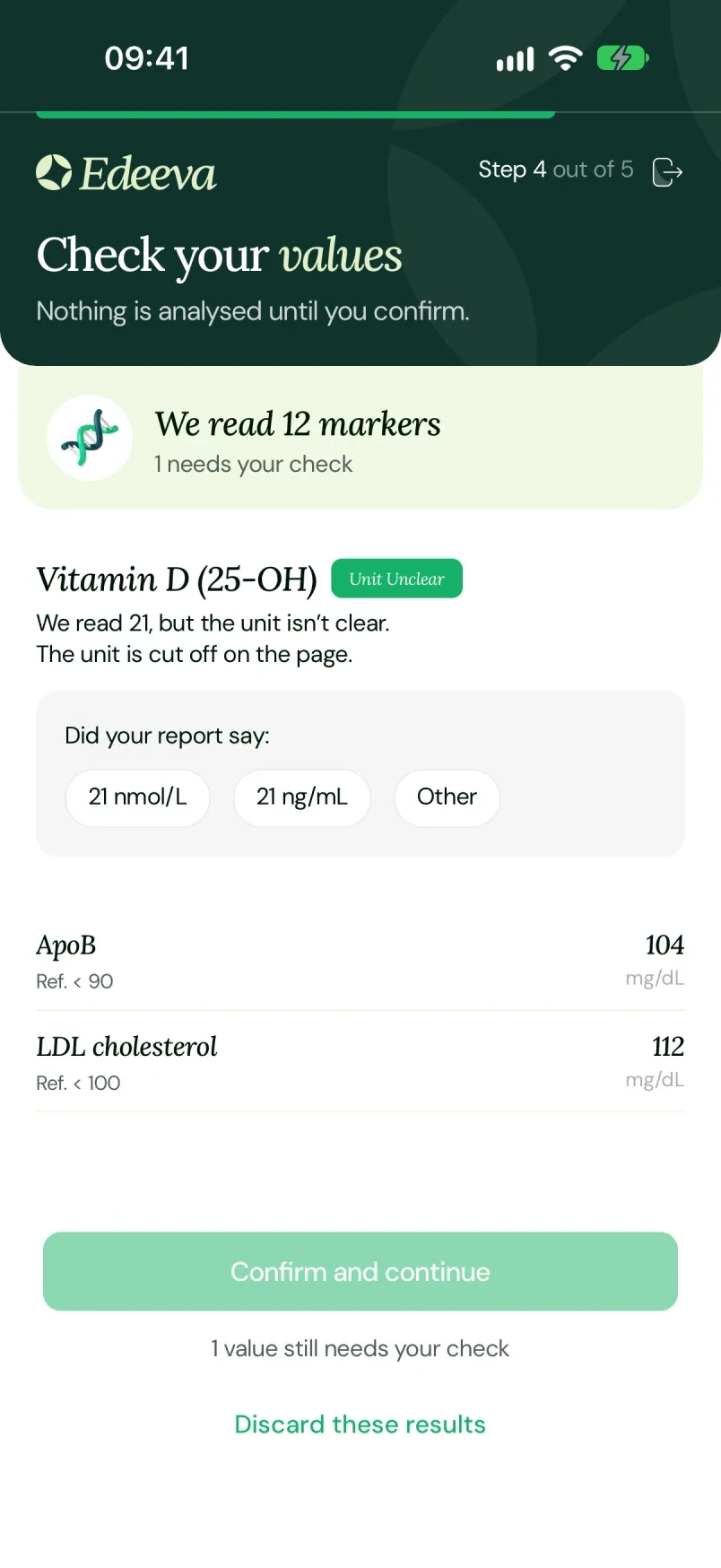
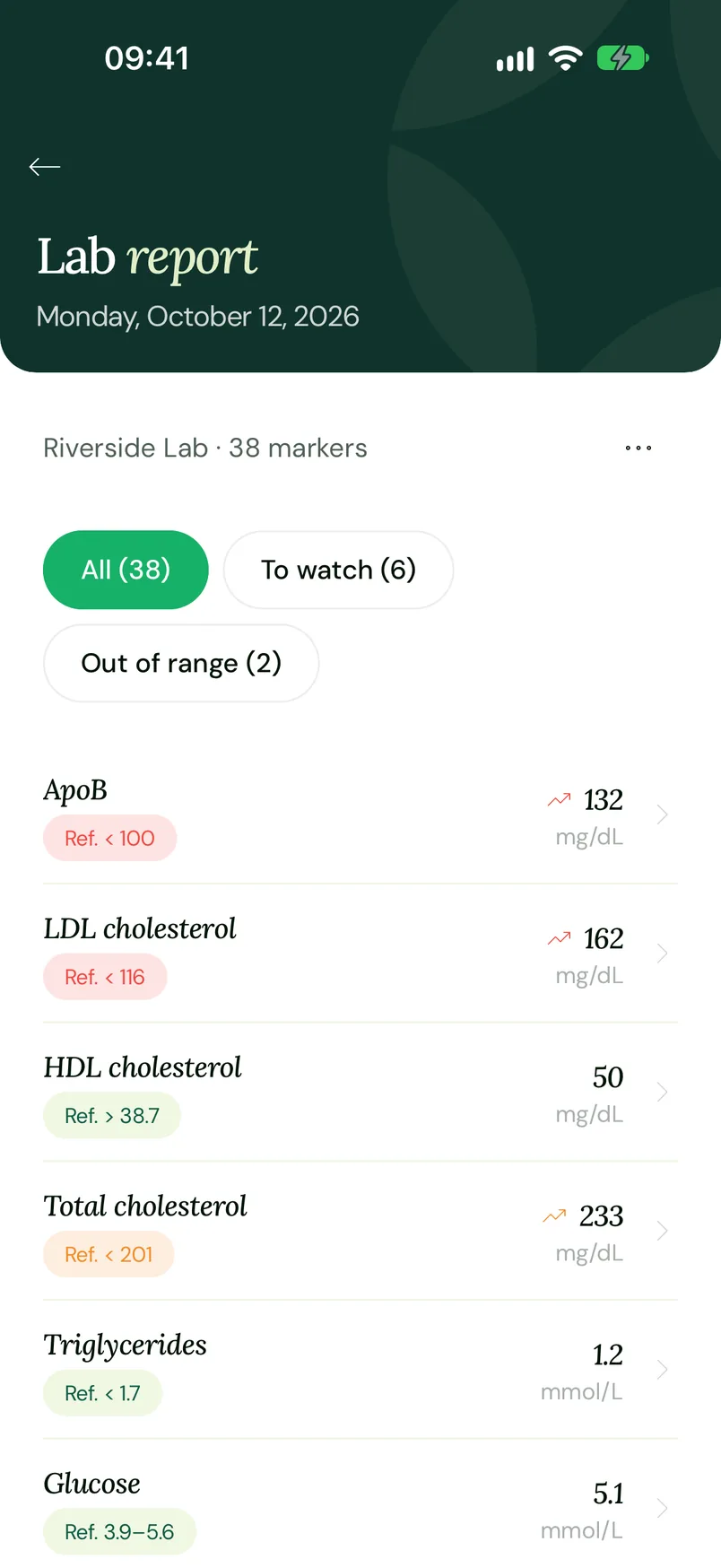
The app reads the markers from the report. You correct any value and confirm. Nothing is analysed until you do.
Step 5
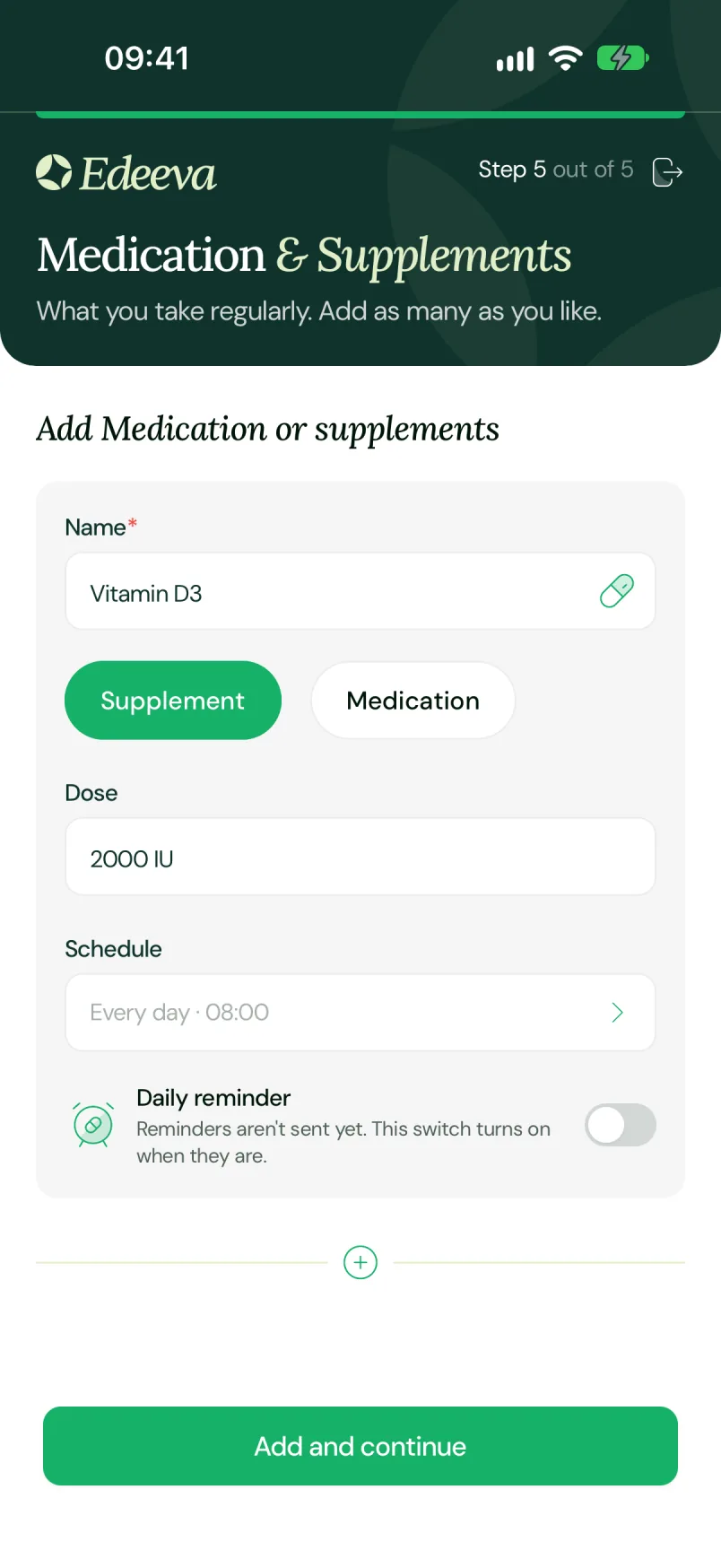
Medications
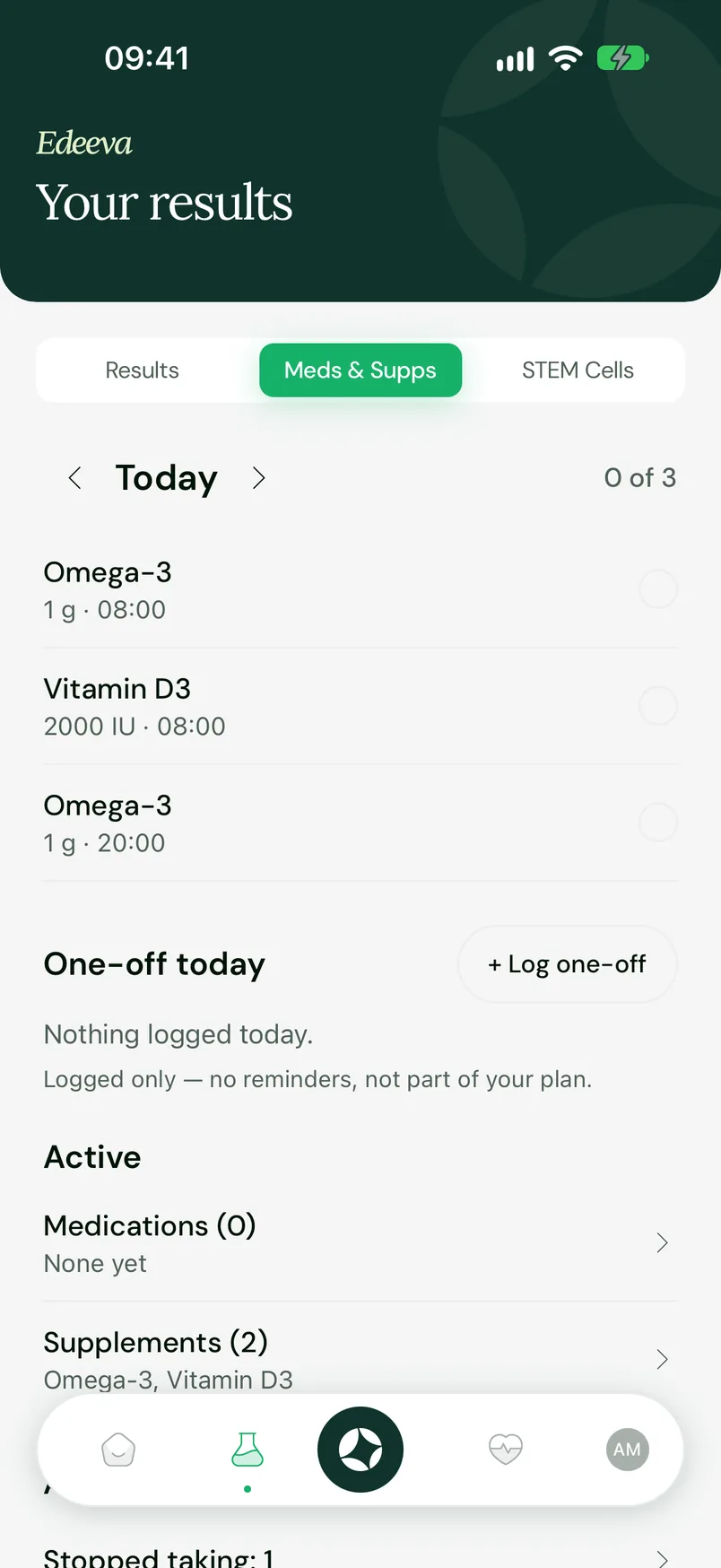
Medications and supplements with their schedule, or add them later.
The pay-off
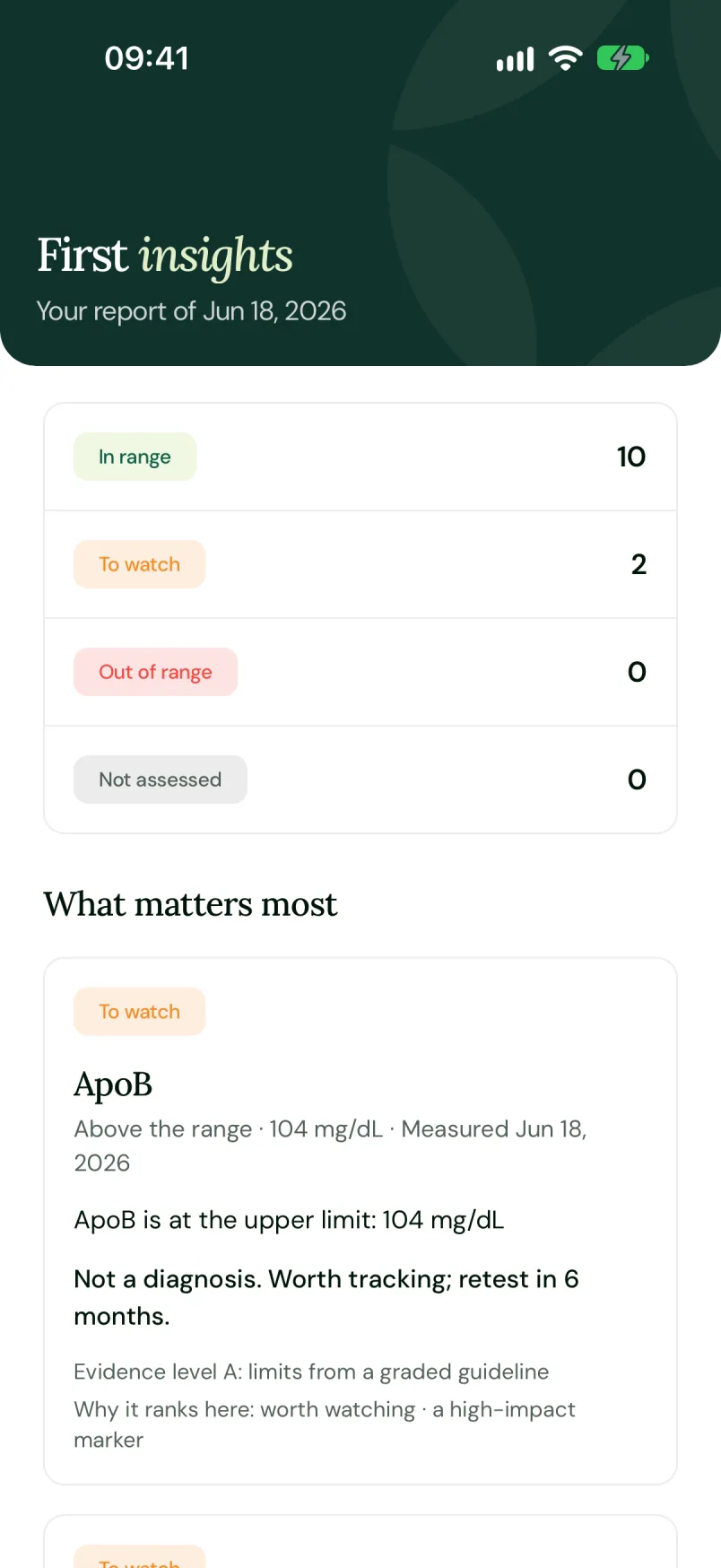
First insights
Right after the first confirmed report, the findings that matter most appear, ranked by fixed rules.
An Assistant That Explains and Never Guesses
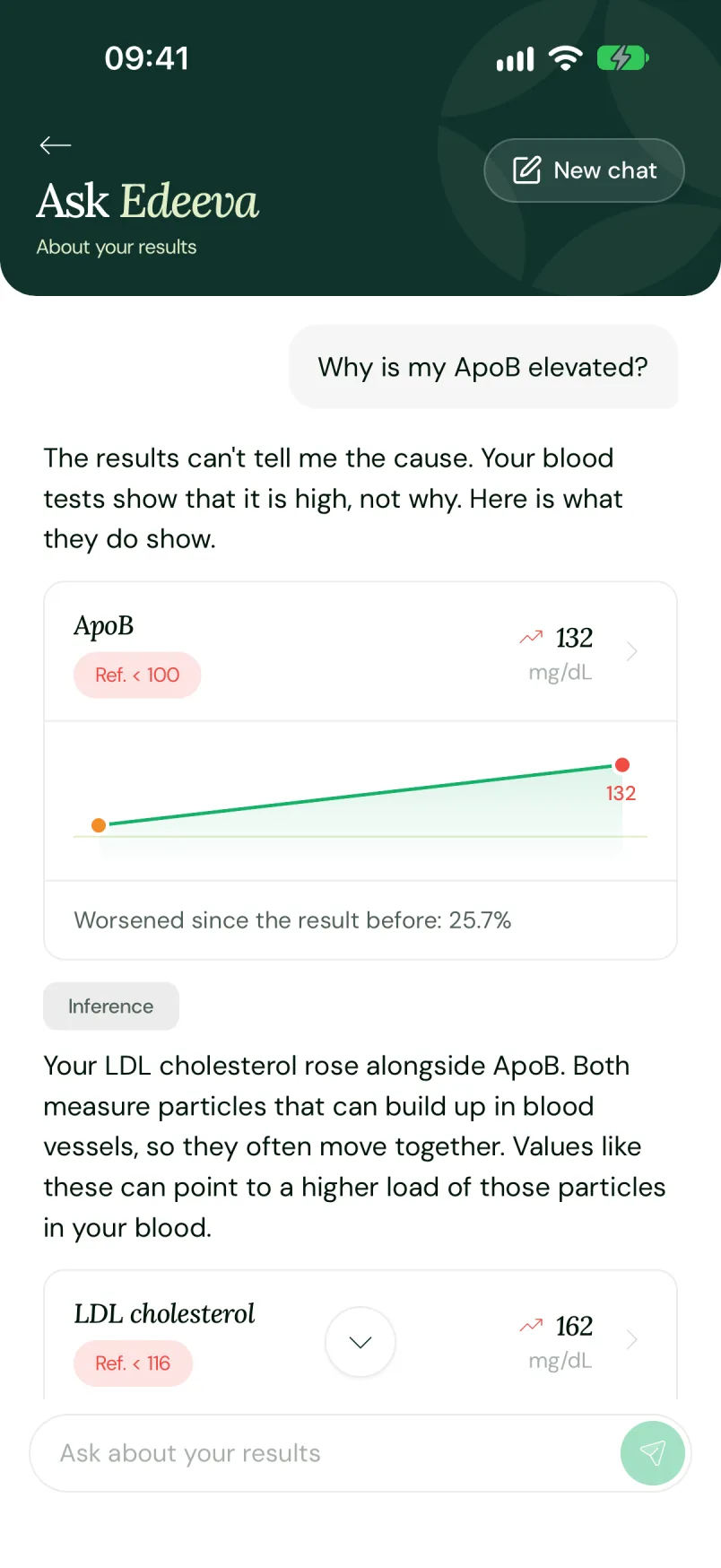
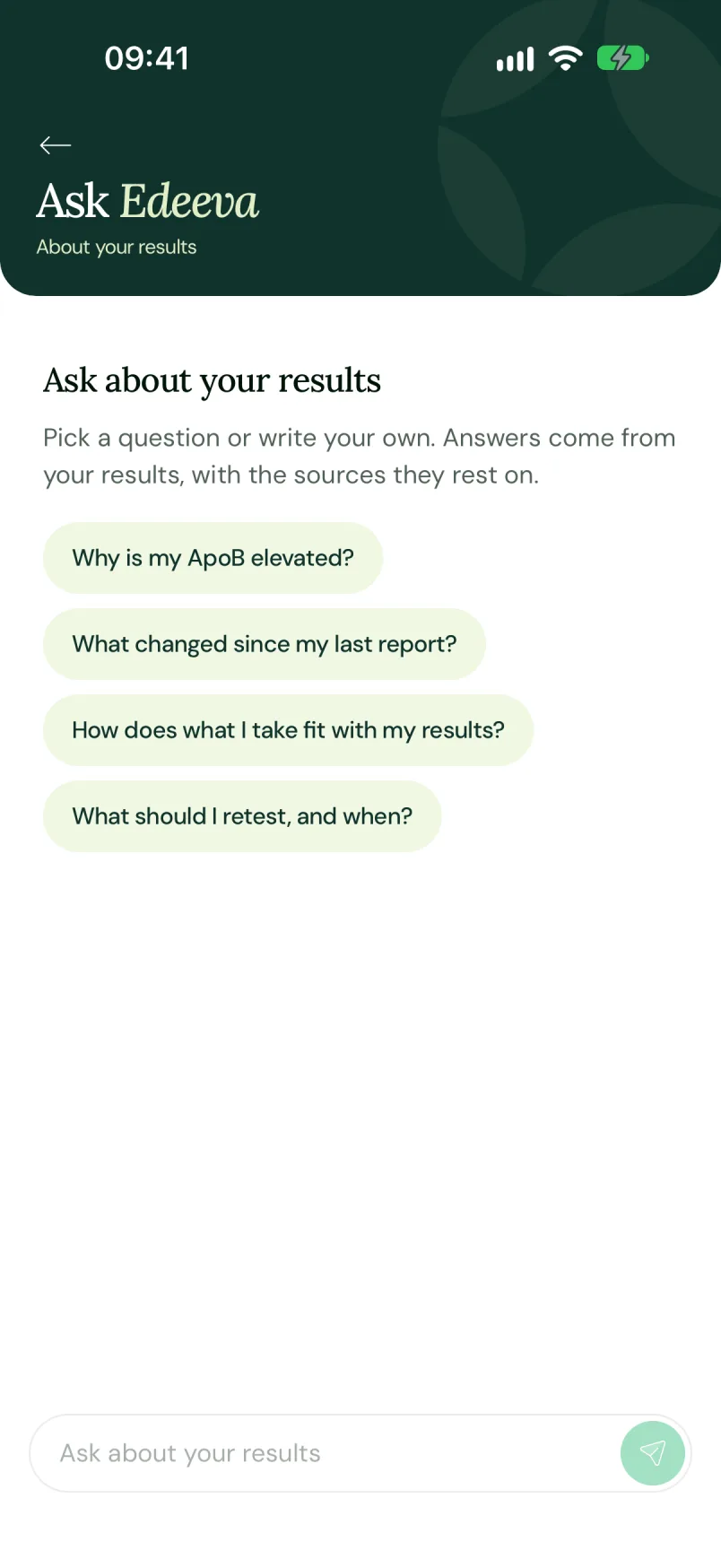
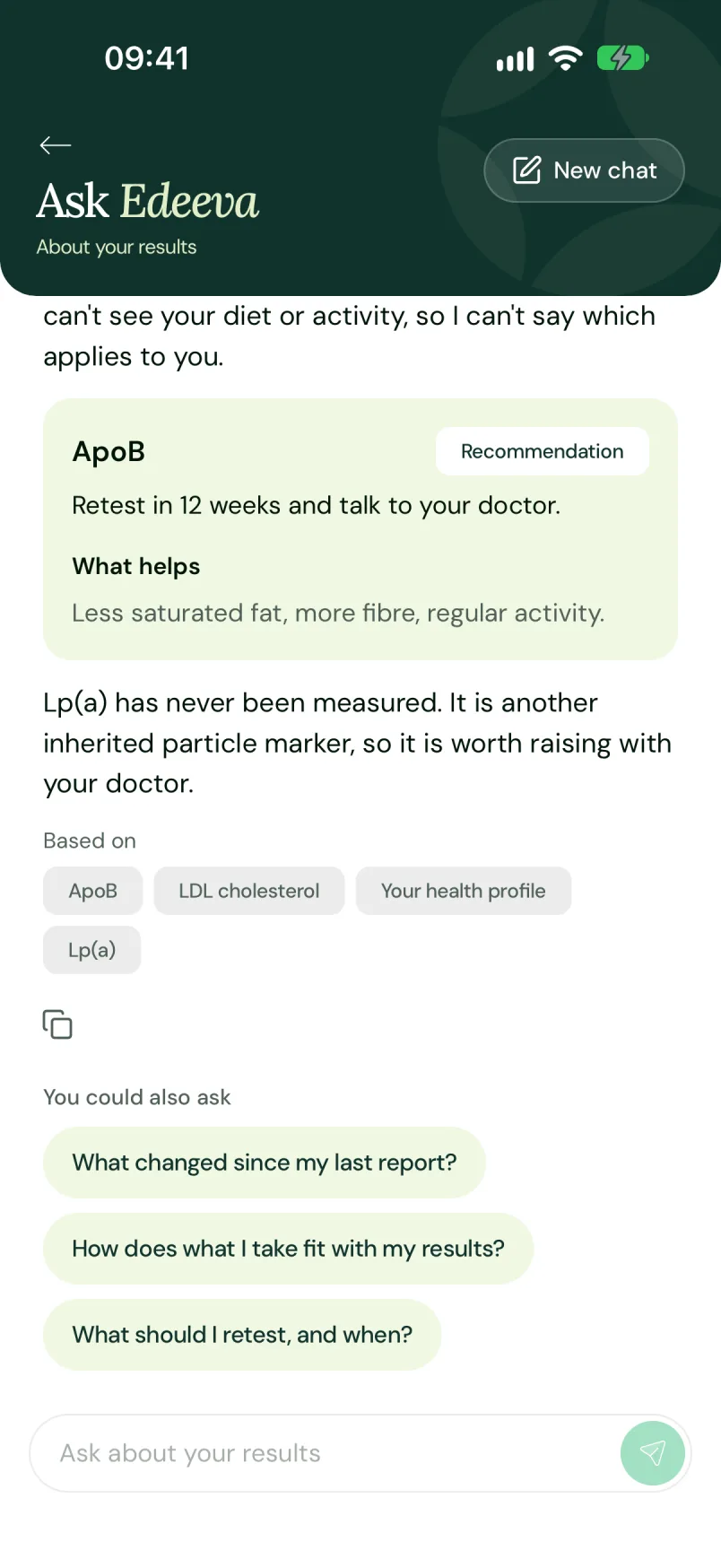
Ask Edeeva answers questions about your own results. It explains what the rules found. It does not diagnose, and it cannot invent a number.
Typed parts
An answer is built from parts with a type: text, a marker card, changes, a recommendation or a reminder.
Checked before it is sent
Every part passes checks first: its shape, its sources, its numbers and its labels.
Figures by reference
The model never writes a digit. The backend inserts each figure by reference.
Sources from this turn
The sources shown are only what was looked up to answer that question.
Limits
A question is at most 500 characters, and a conversation at most 30 turns.
Questions to ask next
An answer ends with a few questions to ask next, so a conversation keeps going.
Built to Be Checked
A health app has to be right before it is clever. So the rules are written down, the contract is machine-checked, and every refusal has a code a person can look up.
- The stack
One typed line from phone to database
The app is React Native with Expo. The API is .NET 10, with Postgres behind it and Supabase for sign-in. Only the API writes to the database.
- React Native with Expo
- .NET 10 API
- Postgres
- Supabase sign-in
- The contract
The API describes itself, and the build checks it
One OpenAPI file is regenerated on every build. CI fails when it is stale or when a change would break the app, and the app builds its typed client from that file.
- 61 API operations
- 37 error codes
- Each code tied to a documented rule
- The tests
Three layers behind the API, and tests in the app
Unit tests run with no host. Integration tests run on a throwaway Postgres. End-to-end tests run against local Supabase with real tokens and real storage.
- 862 unit
- 566 integration
- 13 end-to-end
- 1,513 tests in the app
A Working Product in Three Weeks
Edeeva is a proof of concept and is not released yet. In three weeks it went from the first screen to an app that reads a lab report, ranks what matters and explains it.
- 61API operations
- 1,441backend test methods
- 1,513tests in the app
- 5onboarding steps
A Fast Front Door with a Waitlist
The studio also built Edeeva’s marketing site: static Next.js with a waitlist. A change merges only when Lighthouse scores 100 in performance, best practices and SEO, and 142 browser tests pass.

Explaining Without Overreaching
Edeeva shows that health software can help without guessing. Fixed rules decide what matters, and the model only puts it into words. Nothing is analysed until the person has confirmed their values, and the assistant never writes a number.